
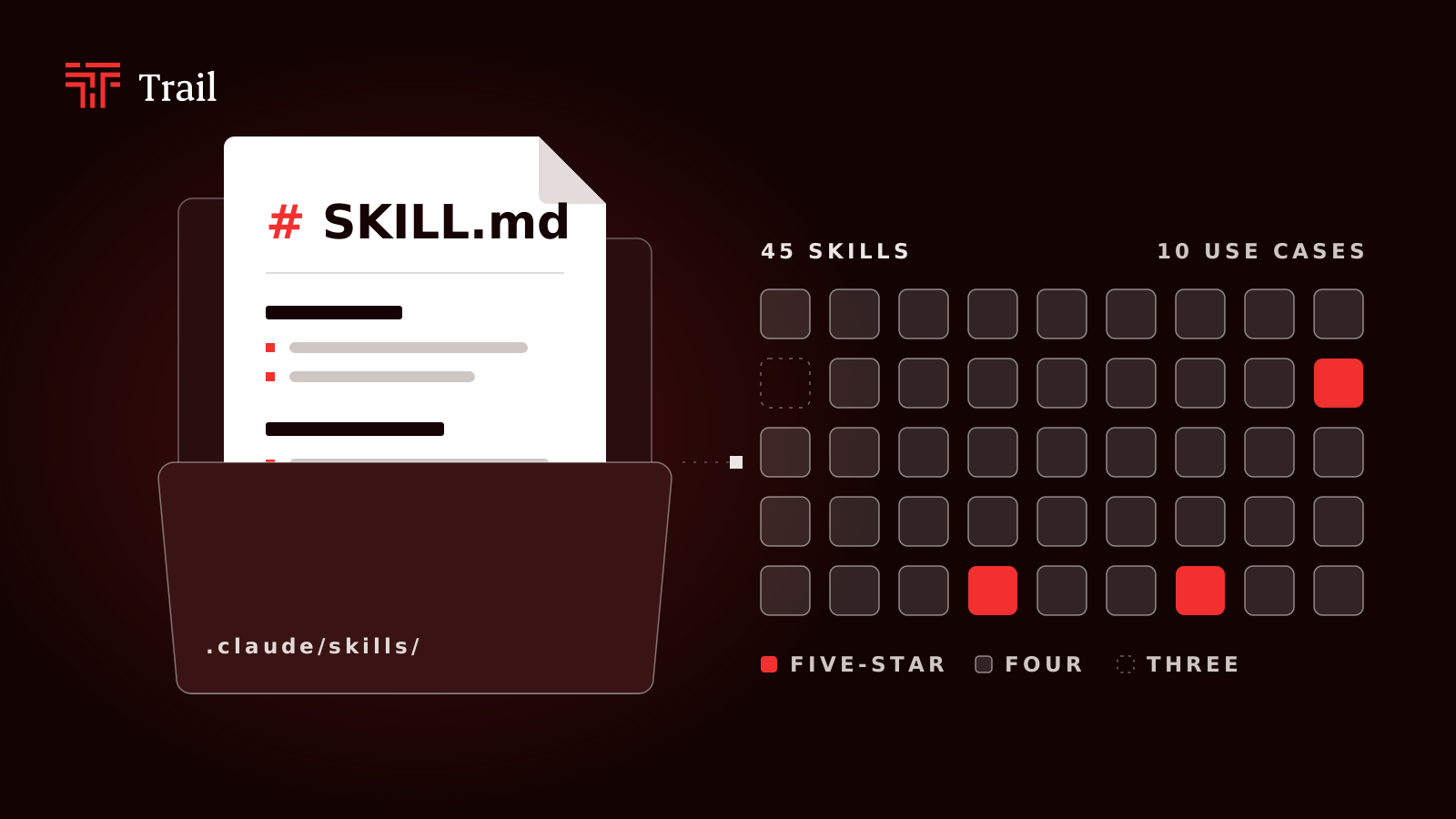
A Claude Code skill is a folder containing a SKILL.md file with instructions, plus optional scripts and reference files, that Claude Code loads only when a task matches its description. Skills let you add a workflow or capability without filling the context window on every session.
Updated 21 October 2026.
What are the best Claude Code skills in 2026?
Few of the best Claude Code skills in 2026 are Superpowers for workflow, Graft for codebase context, grill-me for planning, frontend-design for UI and skill-creator for building your own.
| # | Skill | Use case | Best for | Grade |
|---|---|---|---|---|
| 1 | Superpowers | Workflow | Developers who want an enforced plan, test and review loop | ★★★★☆ |
| 2 | Superlite | Workflow | Spec-in, build-out, with fewer human gates than Superpowers | ★★★☆☆ |
| 3 | gstack (selective) | Workflow | Founders who want review, QA and ship commands | ★★★★☆ |
| 4 | GSD (open-gsd) | Workflow | Spec-first builders of multi-phase features | ★★★★☆ |
| 5 | Compound Engineering | Workflow | Teams that want lessons written down after each change | ★★★★☆ |
| 6 | Addy Osmani agent-skills | Workflow | Developers who want lifecycle skills with built-in rebuttals to shortcuts | ★★★★☆ |
| 7 | planning-with-files | Workflow | Multi-day tasks that outlive one session | ★★★★☆ |
| 8 | Karpathy guidelines | Workflow | Developers who want four behaviour rules at almost no cost | ★★★★☆ |
| 9 | handoff | Workflow | Passing a session to a fresh context | ★★★★☆ |
| 10 | grill-me / grill-with-docs | Planning | Anyone whose agent builds the wrong thing from a vague request | ★★★★☆ |
| 11 | Plannotator | Planning | Marking up a plan in a browser before Claude builds it | ★★★★☆ |
| 12 | Graft (now Trail-code) | Codebase context | Teams on large repos where Claude re-explores code every task | ★★★☆☆ |
| 13 | Graphify | Codebase context | Mixed corpora of code, docs and papers | ★★★☆☆ |
| 14 | claude-mem | Memory | Carrying decisions across sessions when nobody will keep notes | ★★★★☆ |
| 15 | Context7 | Library docs | Code written against fast-changing libraries | ★★★★☆ |
| 16 | /code-review (bundled) | Code review | Every branch before a pull request | ★★★★☆ |
| 17 | /simplify (bundled) | Code review | Cleaning up after a fast build | ★★★★☆ |
| 18 | /debug (bundled) | Debugging | Structured bug hunts | ★★★★☆ |
| 19 | /batch (bundled) | Parallel changes | The same change across many files | ★★★★☆ |
| 20 | tdd | Testing | Red, green discipline one slice at a time | ★★★★☆ |
| 21 | agent-browser | Verification | Long browser sessions on a tight context budget | ★★★★★ |
| 22 | webapp-testing | Verification | Checking a local web app really works | ★★★★☆ |
| 23 | playwright-cli | Verification | Teams already on Playwright | ★★★★☆ |
| 24 | Trail of Bits skills | Security | Security-sensitive code audits | ★★★★☆ |
| 25 | /security-review (bundled) | Security | A default security pass on a diff | ★★★★☆ |
| 26 | cloudflare/security-audit-skill | Security | A full audit of one PR-sized change | ★★★★☆ |
| 27 | git-guardrails-claude-code | Security | Blocking destructive git commands | ★★★★☆ |
| 28 | frontend-design | Frontend | UI that does not look machine-made | ★★★★☆ |
| 29 | impeccable | Frontend | Design audit and polish passes | ★★★★☆ |
| 30 | ui-ux-pro-max | Frontend | Generating a design system | ★★★★☆ |
| 31 | vercel-react-best-practices | Frontend | React and Next.js performance | ★★★★☆ |
| 32 | web-design-guidelines | Frontend | Accessibility and UX review of existing UI | ★★★★☆ |
| 33 | supabase-postgres-best-practices | Stack | Postgres queries and schemas | ★★★★☆ |
| 34 | cloudflare/skills | Stack | Workers and edge deployments | ★★★★☆ |
| 35 | stripe-best-practices | Stack | Payment and webhook integrations | ★★★★☆ |
| 36 | terraform-style-guide | Stack | Infrastructure as code | ★★★★☆ |
| 37 | Expo skills | Stack | React Native apps | ★★★★☆ |
| 38 | Remotion best practices | Stack | Programmatic video | ★★★★☆ |
| 39 | SwiftUI Agent Skill | Stack | iOS apps | ★★★★☆ |
| 40 | skill-creator | Building skills | Anyone writing their own skill | ★★★★☆ |
| 41 | mcp-builder | Building MCP | Building an MCP server | ★★★★☆ |
| 42 | find-skills | Discovery | Finding a skill for a task | ★★★★☆ |
| 43 | claude-api | Building on the API | Apps built on the Claude API | ★★★★☆ |
| 44 | Document skills | Documents | Creating Word, PDF, PowerPoint and Excel files | ★★★★★ |
| 45 | claude-scientific-skills | Research | Scientific databases and literature | ★★★★☆ |
| 46 | obsidian-skills | Notes | Obsidian vaults | ★★★★☆ |
| 47 | Caveman | Token cost | Developers who have already tried be brief. in CLAUDE.md | ★★★★★ |
| 48 | humanizer | Writing | Removing machine-sounding phrasing | ★★★★☆ |
| 49 | marketingskills | Marketing | CRO, SEO and copy tasks | ★★★★☆ |
How were these 49 Claude Code skills chosen and graded?
These 49 Claude Code skills were chosen from independent developer blogs, Hacker News threads, GitHub repositories, install data from skills.sh, and posts by the Claude Code team. Each skill then received a star rating of five, four or three, based on who measured it and how. Popularity alone never earns the top grade.
| Grade | What it means | Example in this guide |
|---|---|---|
| ★★★★★ | A third party measured the skill against a baseline, whichever way the result went | agent-browser, Caveman, Document skills |
| ★★★★☆ | Adoption data only: stars or installs | Superpowers, frontend-design |
| ★★★☆☆ | The maintainer's own benchmark, not yet replicated | Graft, Graphify, Superlite |
Five stars means someone measured the skill. It does not mean the skill won. Caveman holds five stars because JetBrains and an independent blogger both tested it, and both found it does little that two words in CLAUDE.md do not. The grade tells you how much to trust the row. The row tells you what to do.
Install counts need the same care. Vercel runs the skills.sh counter, and its own report says nearly half of all skills were installed exactly once, while 375 skills, 0.04% of the registry, take 62% of installs (Vercel, State of Agent Skills). Installs do not represent unique people or independent choices. Star counts in this guide come from the GitHub API on 21 October 2026 unless a row says otherwise.
How much should you trust a skill's benchmark?
Trust a skill's benchmark when it has repeated runs, a with-and-without baseline, and a quality measure next to the token count. Most skill benchmarks have none of these.
SkillsBench is the largest independent study so far. It found curated skills lift agent success by 16.2 percentage points on average, while skills the agent wrote for itself before the task lowered it by 1.3 points. The lift depends on the domain: 51.9 points in healthcare, 41.9 in manufacturing, and 4.5 in software engineering (SkillsBench on HN, 364 points; paper). That 4.5 is the number to remember. Skills help least on the mainstream programming work the model already knows.
Hacker News applies the same tests to every vendor figure, and they are worth borrowing:
- Was it run more than once? One commenter measured the same prompt at 8,163 tokens on one run and 17,334 on the next (HN). A single-run result is a hint.
- Is there a baseline? A skill that saves tokens against nothing saves nothing.
- Did quality hold? Tokens saved is not the metric. Tasks completed at the same quality is.
- Who wrote the README? Several threads spotted benchmark sections written by the agent itself, and trusted them less for it.
Which Claude Code skills should you install first?
Install Superpowers, Graft, grill-me, frontend-design and skill-creator first. Together these five Claude Code skills cover the plan-and-test loop, codebase context, requirement gathering, UI quality and building your own skills. Drop frontend-design if you never touch UI, and drop skill-creator if you never write skills.
| Skill | What it replaces | Install | Evidence | Skip if |
|---|---|---|---|---|
| Superpowers | Your own plan, test and review discipline | /plugin install superpowers@claude-plugins-official | 302.8k stars; 1.1M plugin installs, the most of any third-party plugin (Jesse Vincent, 9 Oct 2026) | Your tasks take under half an hour |
| Graft (now Trail-code) | Claude re-reading the repo at the start of every task | npm install -g @trailhq/trail-code then trail init | Resolved 33 of 50 SWE-bench Verified instances against 27 without it, self-reported and not replicated (source) | Your repo is small enough to read in one pass |
| grill-with-docs | Explaining a feature three times | claude plugin install mattpocock-skills@claude-plugins-official | 299.1k repo stars; Pocock now points programmers at grill-with-docs rather than plain grill-me (README) | The task is already fully specified |
| frontend-design | Your paragraph of design instructions | /plugin install frontend-design@claude-plugins-official | 827,809 skills.sh installs, an adoption figure only (source) | You never build UI |
| skill-creator | Guessing whether your skill triggers | /plugin install skill-creator@claude-plugins-official | Runs each test prompt with and without the skill (source) | You only use other people's skills |
The idle cost of this set is low. One measurement on 24 September 2026 put Superpowers at about 550 tokens per session plus 750 at startup, frontend-design at about 50, and skill-creator at about 80 (Build This Now). Those are listing costs. Once Superpowers fires, its bootstrap skill and process documents load too, and one Hacker News user put that at "22k tokens before you even hit send" (HN). The two numbers measure different things. Both are true.
Skill, CLAUDE.md, hook, subagent or MCP: which one does the job?
Use CLAUDE.md for facts, a skill for a procedure, a hook for anything that must happen every time, a subagent when the work would clutter your main thread, and MCP when you need auth or a remote service. Most skill problems come from picking the wrong one of these five.
Anthropic published its own rules in June 2026 (Steering Claude Code):
| You want | Use | Anthropic's wording |
|---|---|---|
| Build commands, repo layout, team conventions | CLAUDE.md, under 200 lines | "CLAUDE.md is for facts Claude should hold all the time" |
| A multi-step procedure | A skill | "Procedures belong in skills" |
| A formatter, a test run, a check that must always happen | A hook | "The model choosing to run a formatter is different from the formatter running automatically" |
| Something that must never happen | Hooks and permissions, not an instruction | "A real guardrail needs to be deterministic" |
| Side work whose output you do not want in your thread | A subagent | "Isolation is one of the main reasons to reach for a subagent instead of a skill" |
| Steps you want to watch and steer | A skill | "Use a skill when you want the procedure to play out inside the main thread" |
Hacker News reached the same place on its own. The most agreed-upon line across every thread is the one this guide already makes: a skill is an instruction the model can ignore, while a hook is code that always runs. One commenter put the enforcement case plainly: "You must use tool ABC before calling tool XYZ" belongs in a PreToolUse hook, not a skill (HN). Trail of Bits adds the caveat that hooks "are not a security boundary" either (claude-code-config). For a hard stop, use permissions.deny or a sandbox.
On MCP versus skills, the HN view is to keep MCP for auth, remote services and clients that cannot run a shell, and to replace it with a CLI plus a short skill everywhere else. Thirty MCP tools cost about 3,600 tokens a turn whether the model uses them or not (HN). One user "switched a few MCP servers to just scripts because they were taking like 20% of the context just by being there" (HN). Simon Willison's framing stuck: skills make context use more efficient, but they add no capability a model with a shell did not already have (HN).
What are the best Claude Code skills for workflow and planning?
The best Claude Code skill for workflow is Superpowers, and the best for planning is grill-me. Superpowers enforces a brainstorm, plan, test and review sequence automatically. grill-me interviews you until the requirements are clear. Pick one workflow layer only, because two will compete for the same request.
| Skill | What it does | Install | Evidence | Skip if |
|---|---|---|---|---|
| Superpowers | Chains brainstorming, planning, test-driven development and review | /plugin install superpowers@claude-plugins-official | 302.8k stars; 1.1M installs; version 7.0 shipped 9 Oct 2026 with a rebuilt brainstorm that steps aside when you already know what you want (Jesse Vincent) | You mostly make quick edits |
| Superlite | Takes a spec, splits it into parallel tasks, builds, reviews and records decisions, with fewer check-ins than Superpowers | See the iha2/superlite README | Same 177-test spec: stock Superpowers 33.6 minutes (mean of 3), Superlite 16.1 minutes (one run), all tests passing in both. Author's own harness (contextfirst.blog) | You want to steer each step, or you run Superpowers |
| grill-me / grill-with-docs | Interviews you on every branch of a design before code is written | claude plugin install mattpocock-skills@claude-plugins-official, then /setup-matt-pocock-skills once per repo | 299.1k repo stars. Pocock recommends grill-with-docs for code, which also updates GLOSSARY.md and ADRs (README) | The spec is already written |
| Plannotator | Opens Claude's plan in a web page so you can highlight and comment, then feeds the notes back through hooks | See the backnotprop/plannotator README | 9.6k stars; recommended across several HN planning threads, including by Superpowers critics (HN) | You are happy editing plans in the terminal |
| gstack | Adds role-based commands such as /review, /qa and /ship | git clone the repo into ~/.claude/skills/gstack, then ./setup (needs Bun 1.3.3 or newer) | 137.1k stars; 23 tools (README) | You already run Superpowers |
| GSD | Breaks work into specs and gives each task a fresh subagent | npx @opengsd/gsd-core@latest | The original gsd-build repo was archived on 26 June 2026 at 64.3k stars. The successor, open-gsd/gsd-core, has 10.7k | The change is a one-file fix, or you are on a usage-capped plan |
| Compound Engineering | Runs a plan, build, review loop and records what was learned | /plugin marketplace add EveryInc/compound-engineering-plugin then /plugin install compound-engineering | 25.6k stars. Commands are prefixed /ce-, such as /ce-brainstorm and /ce-compound (README) | You want a small, unopinionated setup |
| Addy Osmani agent-skills | Twenty lifecycle skills and seven commands, each with a table of rebuttals to the shortcuts an agent talks itself into | npx skills add addyosmani/agent-skills | 109.1k stars; 376 points on HN, where the API design and UI testing skills drew the first-hand praise (Osmani's post; HN) | You already run one workflow pack |
| planning-with-files | Keeps the plan, findings and progress in markdown files on disk | See the README. If you install by the skill route, run /plan-doctor, because the hooks can be missing | 27.6k stars; adoption only, no HN discussion found | Your tasks finish in one short session |
| Karpathy guidelines | Applies four rules: think first, keep it simple, change little, work to a goal | /plugin install andrej-karpathy-skills@karpathy-skills | 221.7k stars. Karpathy did not write or endorse the file; a fan turned one of his posts into 65 lines of markdown (HN; tildeweb.nl) | The four rules do not match how you work |
| handoff | Writes a summary so a fresh session can continue the work | Comes with the mattpocock-skills plugin above | Listed as a situational pick by an independent reviewer (source) | Your sessions rarely run long |
Superpowers suits developers who want the process to trigger on its own. gstack suits those who prefer to call each step by hand. A single gstack command can load roughly 18,000 to 33,000 tokens, so keep only the commands you use (Build This Now). Do not run Superlite next to Superpowers. They share skill names and both inject context at startup, and its author's advice is "Just don't enable both in the same session" (contextfirst.blog).
Why do heavy workflow packs get uninstalled?
Heavy workflow packs get uninstalled because the part people like, the interview at the start, comes bundled with the part that costs them, the build pipeline at the end. Every "I removed it" story on Hacker News starts in the pipeline.
The Superpowers 6 thread has the clearest examples. One user found that a one-line change "take[s] literally an hour with all the verification" (tmach32). Another counted how often the skills fired on their own: test-driven-development about 5% of the time, subagent-driven about 1% (linsomniac). In the "Plan mode is dead" thread, a user reported that the spec, plan, implement and review cycle "took one of my test runs from 40 minutes to 8 hours" and "produced a lower-quality result" (vdqtp3). By October 2026 the modal view had shifted: "superpowers was an important set of tools in q1 2026; no longer needed now" (mvkel), and "The models don't seem to need it anymore" (jemdiggity).
The author does not dispute the cost. Superpowers 6 led with "up to 50% faster builds and up to 60% lower cost" against Superpowers 5, which is a claim about how expensive 5 was (Jesse Vincent). Version 6.4 says builds without it are "faster and cheaper" but "significantly buggier" (Jesse Vincent). Version 7.0's main change is a brainstorm that gets out of the way sooner (Jesse Vincent).
GSD drew the same complaints at a larger scale. "Plan Mode had a plan and then base implementation in twenty minutes. GSD ran for hours to achieve the same thing" (healsdata). Another user "burned literally a weeks worth of the 20$ claude subscription and then 20$ worth of API credits" for about 500 lines of code (sigbottle). Compound Engineering's cost sits in its review phase, which runs several reviewers in parallel. One long-time user keeps its brainstorm and plan steps and has dropped the skills that insist on "having everything checked multiple time by 'councils'" (michelb).
The practical rule that falls out of these threads: keep the interview step, and switch the pipeline on only for work that would take you more than half an hour. For anything shorter, plan mode and a plain prompt win on time, cost and often quality.
What are the best Claude Code skills for codebase context and memory?
The best Claude Code skill for codebase context is Graft, now renamed Trail-code. It builds a graph of your code once, then feeds Claude Code the relevant parts on each prompt, so the agent stops re-exploring the repo. The evidence for it is the maintainers' own, so it carries three stars here. For current library documentation use Context7. For memory across sessions, read the subsection below before you install anything.
| Skill | What it does | Install | Evidence | Skip if |
|---|---|---|---|---|
| Graft / Trail-code | Builds a tree-sitter code graph and injects matching nodes into each prompt; since the rename it also saves "learnings" from sessions | npm install -g @trailhq/trail-code then trail init | 10.6k stars; 42% fewer uncached input tokens across 162 runs with correctness flat, self-reported and not replicated (README) | Your repo is small, or you want nothing reading your past sessions |
| Graphify | Turns code, docs, papers and images into one queryable graph | graphify install after installing the package | 130.8k stars. The 71x token claim is gone from the README; its only token figure now is an unsourced 80% for the paid Cloud product | You only need code, not documents |
| claude-mem | Captures each session and feeds relevant parts into the next | npx claude-mem install | 102.0k stars. The one benchmark that included it called it "a no-op out of the box" because it records only from install onwards (HN) | You can keep a 100-line CLAUDE.md current, which is most people |
| Context7 | Fetches current, version-matched library documentation | See the upstash/context7 README | 63.4k stars. Upstash said "context bloat was the number one issue" before its January 2026 rewrite (Upstash) | Your stack is stable and well known |
What does Graft change in a Claude Code session?
Graft makes Claude Code cheaper and more accurate on multi-file fixes, according to its maintainers' benchmark. They ran 50 SWE-bench Verified instances with Claude Sonnet 5, using the official grader, with and without the graph (Trail-code README). A disclosure before the table: Graft is built by the company this blog belongs to. Read the numbers with that in mind, and read the criticism below them.
| Measure | Claude Code alone | Claude Code with Graft |
|---|---|---|
| Instances resolved | 27 of 50 (54%) | 33 of 50 (66%) |
| Tokens | 142.0M | 109.4M |
| Cost | $52.34 | $42.43 |
| Tool calls | 1,370 | 1,031 |
| Wall-clock time | 13,094 s | 8,922 s |
- Why the gap appears: the maintainers report that the baseline tends to patch one file and miss related files the fix needs.
- What it installs: a skill file, hooks in
~/.claude/settings.jsonthat apply to every repo, a statusline and an MCP server, with the graph stored as local files.trail initalso reads your past Claude Code sessions in the repo once, and the review comments on recent merged PRs, to seed its learnings. - What it costs to run: the structural graph uses tree-sitter only, so it needs no model and no API key.
- Read the rating: no third party has replicated these figures. The Show HN thread took the benchmark apart (HN, 39 points). The 50 instances were not disclosed. The sample grew across README updates from 9 to 20 to 36 to 50, in batches of 9, 11, 16 and 14, with Graft scoring 16 of 16 in one batch and 2 of 14 in another. One commenter computed a p-value of 0.22 for the lift. The maintainer's answer on batch sizes was that each batch ended when "our claude limit's were about to exhaust". Several commenters also noticed the benchmark section was written by the agent, which the maintainer confirmed. Until the instance IDs, seed and per-instance results are published, treat the table as a promising single run.
The other objection in that thread applies to every code-graph tool. If the graph drifts from the code, "every new session will take the drifted form as gospel", and a sync that runs from the same context may reinforce the error rather than fix it (icodestuff). Graft's answer is that hooks refresh the graph on every turn. The wider HN view, from the Graphify derivative threads, is that on frontier models "the extra structure mostly costs tokens unless the tool returns something grep can't easily get you" (HN). The honest position is that graph tools look best on large repos where the fix touches several files, and worst on small repos where the model reads everything anyway.
Graft and Graphify differ in scope. We compare both with Codegraph in Graphify vs Codegraph vs Graft. Graft is built for code and refreshes its graph before every query. Graphify covers documents and images too. Its README once claimed a 71x token saving; that figure is gone, and no independent test of either tool has been published.
Do you need a memory plugin at all?
Most developers on Hacker News do not want an agent writing its own memory. The thread titled "Memorizing session transcripts isn't useful" reports "zero performance benefit on SWE tasks when agents have search access to their previous transcript sessions" (HN, 180 points; article). The comments are a list of people turning auto-memory off.
- "It's the first feature I turn off" (estetlinus).
- Claude "kept writing down things to memory that didn't need to be in memory", fixed with
"autoMemoryEnabled": falseand"autoDreamEnabled": falsein your user settings, not the project ones (Fabricio20). - "Anything worth remembering should be in docs, guides, source comments, commit messages or tickets" (wongarsu).
- "If you allow any low value things into memory, Claude will notice that established pattern" and keep adding more (mastax).
The order of preference that comes out of the thread is a version-controlled CLAUDE.md and repo docs first, then a short MEMORY.md you curate by hand, then searchable session logs as a lookup, and auto-memory last. Several users add one line to CLAUDE.md: ask before writing a memory. If you still want a plugin, know that claude-mem only records from the day you install it, so it starts empty on a repo with years of history (HN). Anything hook-based that captures console or page output also sends that content to the model, so keep it off production data.
What are the best Claude Code skills for code review, testing and verification?
The best Claude Code skills for code review are the bundled ones, starting with /code-review, because they need no install. For verification, use webapp-testing on local apps and agent-browser for long browser sessions. Anthropic says verification skills have had the most measurable effect on Claude's output quality inside the company (Anthropic).
| Skill | What it does | Install | Evidence | Skip if |
|---|---|---|---|---|
| /code-review | Reviews a diff before a pull request, with --fix and effort levels from low to max; /code-review ultra runs a multi-agent review in the cloud | Bundled with Claude Code | Boris Cherny on HN: "Going forward it will just be the built-in /code-review skill"; ultra "reliably catches >99% of bugs, costs $3-20 per review" (the 99% was challenged in the thread) (HN) | Never; it costs nothing to keep |
| /simplify | Cleans up code after a fast build, for reuse and simplicity rather than bugs | Bundled with Claude Code | Removed in 2.1.152, then kept as a quality-only skill after users complained; check whether your release still has it (HN) | You already review for simplicity by hand |
| /debug | Runs a structured debugging pass | Bundled with Claude Code | Ships by default (same source) | The bug is a typo |
| /batch | Applies one change across many files in parallel | Bundled with Claude Code | Ships by default (same source) | The change touches one file |
| tdd | Enforces a red, green loop one slice at a time. The refactor step was dropped in June 2026 because agents rarely did it (aihero.dev) | Comes with the mattpocock-skills plugin | Part of a repo with 299.1k stars | You run Superpowers, which includes its own |
| webapp-testing | Writes Playwright scripts to check a local web app | Copy the webapp-testing folder into ~/.claude/skills/ | About 50 tokens idle, 900 when used (source) | You already run the Playwright MCP server |
| agent-browser | Drives a browser through a command-line tool with compact page snapshots | npx skills add vercel-labs/agent-browser --skill agent-browser | 44.4k stars. 1,364 tokens against 7,779 for Playwright MCP on a six-step test (dev.to). A 30-test harness on Opus 5 found a smaller gap: 4.53M tokens for agent-browser, 4.61M for Playwright CLI, 7.84M for Playwright MCP (HN) | Speed matters more than context size |
| playwright-cli | Gives Claude Code Playwright commands without the MCP tool schemas | /plugin install playwright-cli after adding the microsoft/playwright-cli marketplace | Level with agent-browser in the 30-test harness above, and about 41% under Playwright MCP, at 30 of 30 passes | You do not use Playwright |
Start with the bundled commands and add one browser tool. webapp-testing and the Playwright MCP server solve the same problem, so keep only one of them. Between agent-browser and playwright-cli, the independent numbers say pick whichever you already know. The real saving is dropping the MCP server.
What are the best Claude Code skills for security?
The best Claude Code skills for security are the Trail of Bits skills, which wrap real static analysis tools such as CodeQL and Semgrep. Pair them with the bundled /security-review command for everyday diffs. Cloudflare's security-audit-skill does a full audit, at a token cost you should budget for. Add git-guardrails-claude-code to block destructive git commands before Claude Code can run them.
| Skill | What it does | Install | Evidence | Skip if |
|---|---|---|---|---|
| Trail of Bits skills | Runs static analysis, differential review and variant analysis | npx skills add trailofbits/skills | 7.7k stars; 46 plugins; its constant-time-analysis skill found a timing side-channel in a real ML-DSA signing implementation (README) | Your code is not security sensitive |
| /security-review | Reviews a diff for security problems | Bundled with Claude Code | Ships by default (source) | Never; it is already installed |
| cloudflare/security-audit-skill | Audits a codebase for security problems | npx skills add cloudflare/security-audit-skill | 34.9k stars; 213 points on HN, where users reported 150k tokens on a small FastAPI project and "1M tokens for nothing in a medium codebase" (HN) | You cannot point it at one PR; it works best on "a targeted section of the code, like a PR" |
| git-guardrails-claude-code | Uses hooks to block push, hard reset, clean and branch deletion | Comes with the mattpocock-skills plugin, under skills/misc | Blocks the command before it executes (source) | You already enforce this with your own hooks, or you run Claude Code in a sandbox |
A skill is an instruction the model can ignore, while a hook is code that always runs. For anything that must never happen, such as a force push, rely on a hook. Then remember that a hook is a filter on commands, and filters have gaps. Trail of Bits publishes a settings.json with deny rules on credential paths and MCP auto-loading switched off, and still says hooks "are not a security boundary". A sandbox or a throwaway container is.
What are the best Claude Code skills for frontend and design?
The best Claude Code skill for frontend work is Anthropic's frontend-design, which steers Claude Code away from generic layouts, fonts and colour schemes. Use impeccable to audit and polish an existing interface. React and Next.js teams should add vercel-react-best-practices for performance rules.
| Skill | What it does | Install | Evidence | Skip if |
|---|---|---|---|---|
| frontend-design | Makes Claude commit to a design direction and avoid common machine-made tells | /plugin install frontend-design@claude-plugins-official | 827,809 skills.sh installs (source); about 2,300 tokens when used (source). HN is split between "placebo at best" and "does a great job" (HN; HN) | You never build UI |
| impeccable | Audits and polishes UI with 24 commands and about 60 detector rules | npx skills add https://github.com/pbakaus/impeccable --skill impeccable | 84.1k stars | frontend-design already gives you enough |
| ui-ux-pro-max | Generates a design system with styles and palettes | npx skills add ui-ux-pro-max | 138.2k stars; adoption only, no first-hand HN or blog report found | You already have a design system |
| vercel-react-best-practices | Applies 57 React and Next.js performance rules | npx skills add https://github.com/vercel-labs/agent-skills --skill vercel-react-best-practices | 208K installs in March 2026 (source); adoption only | You do not use React |
| web-design-guidelines | Reviews existing UI against 100+ accessibility and UX rules | npx skills add https://github.com/vercel-labs/agent-skills --skill web-design-guidelines | 164K installs in March 2026 (same source); adoption only | You have a dedicated accessibility review |
frontend-design improves what Claude generates. web-design-guidelines and impeccable review what already exists. Most teams need one from each side, not all five.
frontend-design has its own tells now. HN users noticed that it "really loves an all-caps mono caption", reaches for Space Grotesk with IBM Plex Mono, and picks "the same warm-cream tones for different projects" (HN; HN). The current SKILL.md lists those exact defaults as things to avoid, down to a terracotta near Anthropic's own accent colour (SKILL.md). If your output still looks like every other Claude page, add two lines to CLAUDE.md naming the fonts and palette you want. That costs less than a second design skill.
What are the best Claude Code skills for specific stacks?
The best Claude Code skills for a specific stack are the official ones published by the vendor, such as Supabase for Postgres, Cloudflare for Workers and Stripe for payments. Vendor skills encode rules the model often gets wrong. Install only the ones that match what your project actually runs.
| Skill | What it does | Install | Evidence | Skip if |
|---|---|---|---|---|
| supabase-postgres-best-practices | Applies 30 Postgres rules on queries, indexes and row-level security | npx skills add supabase/agent-skills --skill supabase-postgres-best-practices | Published by Supabase (source) | You do not use Postgres |
| cloudflare/skills | Nineteen skills covering Workers, Pages, D1, R2 and other Cloudflare services | npx skills add cloudflare/skills and pick the ones you use | 3.1k stars. HN's one substantive complaint: "There are way too many skills for the platform", which crowds the listing (HN) | You deploy elsewhere |
| stripe-best-practices | Guides checkout, subscription and webhook integrations | See Stripe's skills repository | Official Stripe skill; adoption only. One HN view worth weighing: for an API that changes, "you want stripe MCP or CLI", because a skill goes stale (HN) | You do not take payments |
| terraform-style-guide | Writes Terraform in HashiCorp's official style | See HashiCorp's skills repository | Official HashiCorp skill; adoption only | You do not use Terraform |
| Expo skills | Guides React Native builds and deployment | See Expo's skills repository | 283,306 installs across Expo's skills on 25 Aug 2026 (source); adoption only | You do not build mobile apps |
| Remotion best practices | Teaches programmatic video with React | npx skills add remotion-dev/skills | 305,359 installs across Remotion's skills on 25 Aug 2026 (same source); two positive first-hand HN comments | You do not generate video |
| SwiftUI Agent Skill | Applies SwiftUI best practices | See the AvdLee/SwiftUI-Agent-Skill README | Listed among repositories with 1,000+ stars (source); adoption only | You do not write Swift |
Vendor skills are the safest third-party installs because the publisher is known. None of them publishes an eval, and we found no first-hand HN or blog report for most of them, so "adoption only" is the honest grade. They still add to your skill listing, so install single skills from a vendor pack and remove them when a project ends.
What are the best Claude Code skills for building skills and MCP servers?
The best Claude Code skill for building your own skills is skill-creator from Anthropic. It tests a skill against a no-skill baseline and rewrites the description so the skill triggers. For MCP servers use mcp-builder, and for work on the Claude API use the claude-api skill. If you are new to the protocol, read What Is an MCP Server? first; if you would rather build one by hand, our four-pass MCP server guide hits the edges mcp-builder checks for.
| Skill | What it does | Install | Evidence | Skip if |
|---|---|---|---|---|
| skill-creator | Runs evals with a baseline, blind comparisons and description tuning | /plugin install skill-creator@claude-plugins-official | About 80 tokens idle, 8,200 when used (source) | You never write skills |
| mcp-builder | Guides an MCP server through research, build, review and evaluation | Copy the mcp-builder folder into ~/.claude/skills/ | About 70 tokens idle, 2,200 when used (same source) | You only consume MCP servers |
| find-skills | Searches the skills.sh directory for a skill that fits a task | npx skills add vercel-labs/skills --skill find-skills | 3,093,773 installs on 25 Aug 2026 (source) | You already know which skills you want |
| claude-api | Gives Claude current API and SDK reference material | Bundled with Claude Code | Body is roughly 21,000 tokens when loaded (source) | You do not build on the Claude API |
skill-creator is the one skill that improves every other skill you write. It has one credible critic on HN: for newer models it "micromanages, which is in fact worse for 5+ models than just leaving the instructions out", and its report omits token counts and cost (HN; HN). Use its eval loop and ignore its prose suggestions when they make the skill longer.
find-skills is the most installed skill on skills.sh. That ranking is Vercel's own install telemetry, and the directory's three scanners have all been bypassed (see the security section). Treat what it finds as untested and unvetted until you have read every file.
What are the best Claude Code skills for documents, research and notes?
The best Claude Code skills for documents are Anthropic's document skills, which create Word, PDF, PowerPoint and Excel files. For scientific research use claude-scientific-skills from K-Dense. For personal notes use obsidian-skills, written by the chief executive of Obsidian.
| Skill | What it does | Install | Evidence | Skip if |
|---|---|---|---|---|
| Document skills | Creates and edits docx, pdf, pptx and xlsx files | /plugin install document-skills@anthropic-agent-skills | Practitioner testing found docx clearly improved output while xlsx made no significant difference (source) | Your repo never produces Office files |
| scientific-agent-skills (was claude-scientific-skills) | Connects Claude to 250+ scientific databases through 148+ skills | See the K-Dense-AI/scientific-agent-skills README | 53.4k stars; adoption only | You do not do research work |
| obsidian-skills | Six skills: Obsidian Markdown, Bases, JSON Canvas, the Obsidian CLI, defuddle for cleaning web pages, and knap for rendering templates from JSON or CSV | npx skills add kepano/obsidian-skills | 49.8k stars; 360.8K installs in June 2026 (source) | You do not use Obsidian |
The document skills earn five stars only for Word output. Install the bundle if you generate documents often, and leave it out of programming-only projects. One more thing to know: Trail of Bits found that the docx, xlsx and pptx skills ship a soffice.py that uses LD_PRELOAD to load a shared library, which a planted file in the same sandbox could abuse (Trail of Bits). "Published by Anthropic" is a reason to trust the intent, not to skip reading the scripts.
Which Claude Code skill cuts token costs the most?
Caveman is the best-known Claude Code skill for cutting token costs. It makes Claude answer in terse, stripped-down language while leaving code unchanged. Expect a small saving on real programming work. Two independent tests found that the words be brief. in CLAUDE.md get you most of it.
| Test | Who ran it | Result |
|---|---|---|
| 10 prompts against default verbose replies | Caveman maintainers | 65% fewer output tokens on average, range 22% to 87% |
| 86 real coding tasks, paired A/B, skill forced on | JetBrains | 8.5% fewer output tokens, no measurable quality loss (p = 0.82). The saving was 30% on the first 10 tasks and shrank as the sample grew |
| 24 prompts, five arms, one run each | Max Taylor, independent | Baseline 636 output tokens. Be brief. 419. Caveman lite, full and ultra 401, 404 and 449. Quality 0.985 for both baseline and Be brief., 0.970 to 0.976 for Caveman (maxtaylor.me) |
Taylor's summary: "The plugin didn't beat the boring default on either axis." His one quality miss was Caveman lite dropping the phrase "at-least-once" from a queue comparison, which is the kind of loss terse output invites. One run per cell, so treat the exact numbers as a hint and the direction as solid.
The maintainers now agree with him. The README says "'Be concise' is the real baseline; new models already know it", and claims Caveman cuts 3% more at the median on top of that (Caveman README). The project's newer feature compresses what the agent reads, such as logs and test output, rather than what it writes. Those figures are self-reported and not yet tested by anyone else.
- Install:
claude plugin marketplace add JuliusBrussee/caveman && claude plugin install caveman@caveman - Adoption: 114.0k stars.
- Hidden cost: the rules add about 1,160 input tokens per turn by the maintainers' own count. On a per-request plan, shorter answers save nothing.
- Verdict: put
be brief.in CLAUDE.md first. Install Caveman only if you then measure a difference on your own work. - Skip if: most of your output is already code, where there is little prose to cut.
What are the best Claude Code skills for writing and marketing?
The best Claude Code skills for writing and marketing are humanizer and marketingskills. humanizer removes phrasing patterns that make text read as machine-written. marketingskills is a pack of 32 skills by Corey Haines covering conversion optimisation, SEO, copywriting and growth tasks.
| Skill | What it does | Install | Evidence | Skip if |
|---|---|---|---|---|
| humanizer | Rewrites text to remove common machine-writing patterns | See the blader/humanizer README | 59.1k stars. Mixed HN reports, and at least one detector now flags humanized text | You only write code |
| marketingskills | Adds 32 procedures for CRO, SEO, copy and growth work | npx skills add coreyhaines31/marketingskills | 55.7k stars; 281.9K installs across 32 skills in 2026 (source); adoption only | You have no marketing tasks |
Both are procedure skills, so they encode a method, not new abilities. Install single skills from the marketing pack instead of all 32.
How many Claude Code skills should you install at once?
Install three to five public Claude Code skills at a time. Every installed skill adds its description to a listing with a fixed budget, and Claude Code shortens or drops descriptions once the budget is full. Skills also help only on the tasks they cover and add noise everywhere else. That listing is charged on every turn, alongside the other silent token drains in a session.
| Finding | Number | Source |
|---|---|---|
| Skills from one popular collection that made output worse | 40 of 47 | Mikhail Shcheglov, via Kyle Redelinghuys |
| Task success with a skill that covers the task | 89.4% against 55.9% baseline | MacAgentBench, same article |
| Models that did worse with skills on uncovered tasks | 5 of 8 | MacAgentBench, same article |
| Skill listing budget in current Claude Code | 1% of the context window | Claude Code docs |
| Cap on each skill's listing entry | 1,536 characters of description plus when_to_use | Claude Code docs |
Check your own setup in three steps:
- Run
/contextto see how much of the window the skill listing uses. - Run
/skill-doctorto see each skill's context cost and how often you use it, and/doctorfor unused skills, MCP servers and plugins against their cost. - Remove or disable any skill you have not invoked in the last two weeks.
When the budget overflows, Claude Code trims the skills you use least first. A skill that stops firing may have lost the keywords that triggered it. Jesse Vincent hit this in December 2025, when the default was a 15,000-character budget with "no warning when you go over", and his skills stopped triggering (blog.fsck.com). The budget is larger now, and the per-entry cap means a long description gets cut, so put the trigger conditions in the first sentence.
What does a skill cost once Claude Code loads it?
A skill costs about 100 tokens while it sits in the listing, its whole SKILL.md once it fires, and up to 5,000 tokens after every compaction for the rest of the session. Those three numbers explain most "why is my context full" questions.
Skills load in three tiers (agentskills.io spec; Anthropic):
| Tier | What loads | When | Cost |
|---|---|---|---|
| Listing | Name and description | Every turn | About 100 tokens per skill; capped at 1,536 characters each and 1% of the window in total |
| Body | SKILL.md | When Claude decides the task matches, or you type /skill-name | The whole file; the spec recommends under 5,000 tokens and 500 lines |
| References | Scripts and files the body points to | Only when Claude opens them | Whatever it reads |
Once the body is in, it stays for the session. Skills do not use less context after they fire. The saving over MCP is that nothing loads up front (HN). After compaction, Claude Code re-attaches the most recent invocation of each skill, keeping the first 5,000 tokens of each and 25,000 tokens in total, newest first (Claude Code docs). A long skill survives compaction as its opening only, so the instructions that matter belong in the first few hundred tokens.
For scale, here are two /context readouts HN users posted from the 706-point thread on Claude Code's token overhead (HN). One setup showed system prompt 3.9k, system tools 13.9k, skills 4.9k. A minimal one showed system prompt 4.5k, system tools 7.9k, memory files 441, skills 3.1k. The skill listing is rarely the problem. Built-in tool schemas, MCP servers at roughly 1,000 to 1,400 tokens each per request, a long CLAUDE.md, and subagent fan-out that resends the whole prefix per agent are where the context goes (systima.ai). Fix those first. /context is an estimate; a proxy that logs the API calls is the ground truth.
Do Claude Code skills actually fire when needed?
Claude Code skills often fail to fire. In Vercel's agent evals, the skill was never invoked in 56% of cases. Skills fire far more reliably when the description is written as a direct instruction that names when to use the skill.
| Setup in Vercel's eval | Pass rate |
|---|---|
| No documentation | 53% |
| Skill installed, default behaviour | 53% |
| Skill plus explicit instructions to use it | 79% |
| Compressed 8KB docs index in AGENTS.md | 100% |
Source: Vercel, AGENTS.md outperforms skills in our agent evals. We cover that file in What Is AGENTS.md?
Read Vercel's table with the HN thread beside it (524 points). Commenters read the sample size off the screenshots as about 33 runs, noticed the tables did not match the screenshots, and pointed out that no model is named and no error bars are given. The comparison is also not token-normalised: the docs index measured about 3.1k tokens in /context, always loaded, against a skill description of a few lines. One commenter found the wording of the instruction mattered more than the mechanism. "You MUST invoke the skill" anchored the agent on the docs and made it miss a config file, while "Explore project first, then invoke skill" worked better (postalcoder). The direction of Vercel's result holds. The size of the gap is less certain than the headline.
A separate 650-sample study by Ivan Seleznov found directive descriptions reached 100% activation, against 37% for passive ones (source).
- Put always-needed rules in CLAUDE.md, because that file loads on every turn.
- Write the description as a trigger, for example: use when writing a git commit message for staged changes.
- Invoke important skills by name with
/skill-namewhen the result matters. Custom slash commands have been merged into skills, so this is the same mechanism. - Use a hook for anything that must happen every time. Power users also use a
UserPromptSubmithook that injects "use the X skill" when the prompt matches a pattern, which turns a hope into a rule (HN). - Narrow skills that fire too often. Over-triggering is as common as under-triggering. Tighten the description, or set
disable-model-invocation: trueso only you can call it.
Which frontmatter fields decide whether a skill fires?
The description decides whether a skill fires, and five other fields decide when it may, who may call it, and what it can do once it runs. Most published skills set only name and description (Claude Code docs).
| Field | What it does | Use it when |
|---|---|---|
description | What Claude reads to decide whether to load the skill. If you leave it out, the first line of the body is used | Always. Put the trigger first, because the listing cuts the entry at 1,536 characters |
when_to_use | Extra trigger text appended to the description in the listing | The description is a sentence and the triggers are a list |
paths | Glob patterns; the skill auto-loads only when Claude works on matching files | A skill for one language or one directory |
disable-model-invocation | Claude cannot load it on its own; you call it with /name | Anything expensive, destructive or that must run when you say and not before |
user-invocable: false | Hidden from the / menu; only Claude loads it | Background knowledge the user never calls directly |
context: fork with agent | Runs the skill in a subagent that does not see your conversation | Side work whose output would clutter the thread |
hooks | Hooks registered when the skill is invoked, for the rest of the session | A skill that must enforce something, not suggest it |
allowed-tools | Tools Claude may use without asking during the invoking turn. It does not restrict anything | Your own skills only. In a third-party skill, read it as a warning, not a safeguard |
disallowed-tools | Tools removed from Claude's pool while the skill is active | A skill that must not write or run commands |
model, effort | Overrides for the turn | A cheap skill that should run on a cheap model, or a review that needs max effort |
!`command` in the body | Runs the shell command and pastes its output into the skill before Claude reads it | Injecting git diff or test output. Switch off for all non-bundled skills with disableSkillShellExecution |
Two points from the people who write the most-used skills. Anthropic's Claude Code team says the description "is not a summary, it's a description of when to trigger this skill" (Anthropic). Jesse Vincent found the reason: when a description explained what the skill did, Claude would guess the contents and "wing it" without reading the file (blog.fsck.com). Describe the moment, not the method.
Are third-party Claude Code skills safe to install?
Third-party Claude Code skills are not safe by default. A skill runs with the same permissions as Claude Code, including shell access, file access and any credentials in your environment. Snyk audited 3,984 public skills from ClawHub and skills.sh in February 2026 and found critical security issues in 13.4% of them. Since then, every skill scanner anyone has tested has been bypassed.
| Finding from Snyk's audit | Number |
|---|---|
| Skills audited across public hubs | 3,984 |
| Skills with at least one flaw | 36.82% |
| Skills with a critical issue | 534 (13.4%) |
| Skills with a confirmed malicious payload | 76 |
Source: Snyk, ToxicSkills.
The real incidents so far are on ClawHub, the OpenClaw skill registry, not on Anthropic's marketplace. The most downloaded ClawHub skill in January 2026 shipped a macOS infostealer behind "visit this link, copy the command and run it in terminal" (HN, 334 points). 1Password's line from that episode is the one to remember: "Markdown is an installer." No compromise through claude-plugins-official or skills.sh has been reported. Proofs of concept against both exist.
Scanning does not save you. In June 2026 Trail of Bits built four malicious skills, three of them in under an hour each, and got them past ClawHub's VirusTotal check, Cisco's open-source skill scanner, and all three scanners wired into skills.sh (Trail of Bits). The tricks were not clever. 100,000 blank lines at the top of a file made one scanner truncate it. A shell script hid inside a .docx, which is a zip. A precompiled .pyc did something the visible .py did not. A fake corporate config pointed npm at an attacker's registry, and one scanner rated it safe. Their conclusion: "No amount of scanning or LLM analysis can reliably detect malicious content in agent skills."
Gecko Security showed another route. npx skills add copies the whole folder into your repo. A test file inside it runs the next time Jest or Vitest does (Gecko).
So vet a skill as if the scanner said nothing:
- Read every file in the folder, not only
SKILL.md. List them and ask what else on your machine could execute each one: a test runner, a build step, a shell startup file. - Grep for the usual things: base64 blobs,
curl | bash, raw IP addresses, archives,.pycfiles, and any step that fetches content from a URL the author controls, because that content can change after you read it. - Read
allowed-toolsas a warning. The field pre-approves tools for the skill's turn. It "does not restrict which tools are available", and the docs tell you to review it in any skill checked into a repo before you run Claude Code there (Claude Code docs). - Contain, do not filter. Put credential paths in
permissions.deny, switch on/sandboxor run in a devcontainer with an egress allowlist, and setdisableSkillShellExecutionif you do not need skills to run commands before the model sees them. A deny rule on.envcovers the built-in tools only; without the sandbox,cat .envin Bash still works. Trail of Bits' claude-code-config is a reasonable startingsettings.json. - Pin and re-review. Pin plugin sources to a commit, and read the diff on every update. Trail of Bits' advice for anything sensitive is to avoid skills.sh and ClawHub altogether and run a curated marketplace of your own.
- Weigh the publisher, then still read the scripts. A known vendor lowers the odds of malice, not of a footgun. Anthropic's own document skills carry the
LD_PRELOADissue mentioned above.
Which popular Claude Code skills should you skip or use selectively?
Skip any Claude Code skill that duplicates one you already run, and use large packs selectively. The clearest case is Superpowers and gstack together: both try to own the plan, build, review and ship loop, so a single request triggers two competing processes. Choose one workflow layer.
| Skill or pack | Verdict | Reason |
|---|---|---|
| Superpowers plus gstack | Pick one | Both claim the same workflow |
| gstack, whole pack | Keep two or three commands | About 60 skill files, with single commands of 18,000 to 33,000 tokens |
| Anthropic's example-skills bundle | Take single skills | Eight of the twelve are demonstrations, not coding tools |
| Document skills | Skip in coding-only repos | Long descriptions use listing budget for nothing |
| claude-api | Skip unless you build on the API | Roughly 21,000 tokens when it loads |
| Caveman | Try, then measure | Independent saving was 8.5%, not 65% |
| Any persona-only skill | Skip | A line in CLAUDE.md does the same job |
| Any workflow pack on a task under 30 minutes | Skip for that task | Plan mode and a plain prompt finish sooner at the same quality |
Pack sizes and token figures come from a measurement on 24 September 2026 (Build This Now).
The strongest version of the minimalist case comes from Geoffrey Huntley. In October 2026 he wrote "Delete your skill packs, put the whole system under test" (ghuntley.com). He replaced his skills with a pre-commit hook, and says compliance went to ten out of ten. You do not have to go that far. The useful question is which of your skills you could replace with a hook, and which with one line in CLAUDE.md.
One more test helps: ask whether the skill teaches Claude something a newer model will learn anyway. Skills that encode your own preferences last, while skills that patch a model gap stop paying off after the next release.
When should you write your own Claude Code skill?
Write your own Claude Code skill when Claude repeats a mistake that is specific to your codebase, or when you paste the same instructions for the third time. Custom skills that encode your team's checks outlast public ones. Anthropic reports that verification skills have had the most measurable effect on Claude's output quality internally, and its advice is to "spend a week just making your verification skills excellent" (Anthropic).
What belongs in a skill you write?
Only three kinds of content belong in a skill. The most-praised comment in the SkillsBench thread lists them. Record what is outside the model's training data and you learned by research or experiment. Record what is specific to your context. Record what aligns a future session with what you decided in this one. Anything else is "Claude effectively telling itself information that it already knows!" (colonCapitalDee). SkillsBench's own result backs this up. Skills the agent wrote for itself before a task made things slightly worse.
The second filter is from the agentskills.io thread: "If you wouldn't write a function for it, it probably shouldn't be a skill" (HN). Skills that work are complete, self-contained sequences with a clear trigger: do X, then Y, then Z, then verify. Skills that fail are "best practices" essays.
Then the techniques the busiest skill authors report:
- Describe when, not what. Jesse Vincent found a description that summarised the method made Claude skip the file and improvise. The description should name the moment to use the skill and nothing else (blog.fsck.com).
- Say what to do, not what to avoid. His standalone anti-patterns skill was, in his words, a bad skill. Frame every rule as the positive action.
- Pre-write the rebuttals. Addy Osmani's skills carry a table of the excuses an agent makes ("This task is too simple to need a spec") next to the answer. The agent reads its own excuse before it makes it (addyosmani.com).
- Put the work in scripts. A short SKILL.md that calls
monitor_ci.shbeats a long one that describes the loop, because the agent stops rewriting the script every run. - Write it after the win, not before. "After several failures then a success I have the agent create the skill, next run it is successful first run" (dalemhurley). Sean Goedecke makes the same point: generate skills afterwards (seangoedecke.com).
- Earn every line from a failure. Mitchell Hashimoto's rule for his always-on file applies to skills too: "Each line in that file is based on a bad agent behavior" (mitchellh.com).
- Keep it short. grill-me is three sentences. One added line, telling Claude to recommend an answer with each question, "noticeably improved the conversation" (Matt Pocock).
Then the loop:
- List the failures Claude made in your repo this week that a generic reviewer would not catch.
- Write three test scenarios and record how Claude performs without any skill.
- Write the shortest instructions that fix those failures, and put long detail in reference files.
- Write the description as a trigger in the third person, naming when to use the skill.
- Add a gotchas section from real failures. Anthropic calls it "the highest-signal content" in a skill, because no model already knows them.
- Measure against the baseline with skill-creator, then keep the skill only if it wins.
- Re-test after each model release. A skill that patched a model gap may now cost tokens for nothing. Vincent deleted his Tailwind 4 guidance once the model knew it.