
An MCP server gives a model access to something it can't reach on its own, in a shape any MCP client understands. You write the integration once, and Claude Code, Claude Desktop, or any other client that speaks the protocol can use it.
Two examples make this concrete. Say your team keeps runbooks in an internal wiki. Without MCP, you paste pages into the chat by hand. With a small server that exposes a search_runbooks tool, the model looks things up itself when the conversation calls for it. Or say you want live data, like the weather lookup we'll build in pass 4. A model's training data can't tell you today's temperature, but a tool that calls an API can.
The server also owns the edges: which inputs are valid, what happens when an upstream times out, and what an error looks like to the model. Most of this guide is about getting those right.
The examples use the official Python SDK and its FastMCP class. The TypeScript SDK has the same concepts if you'd rather work there.
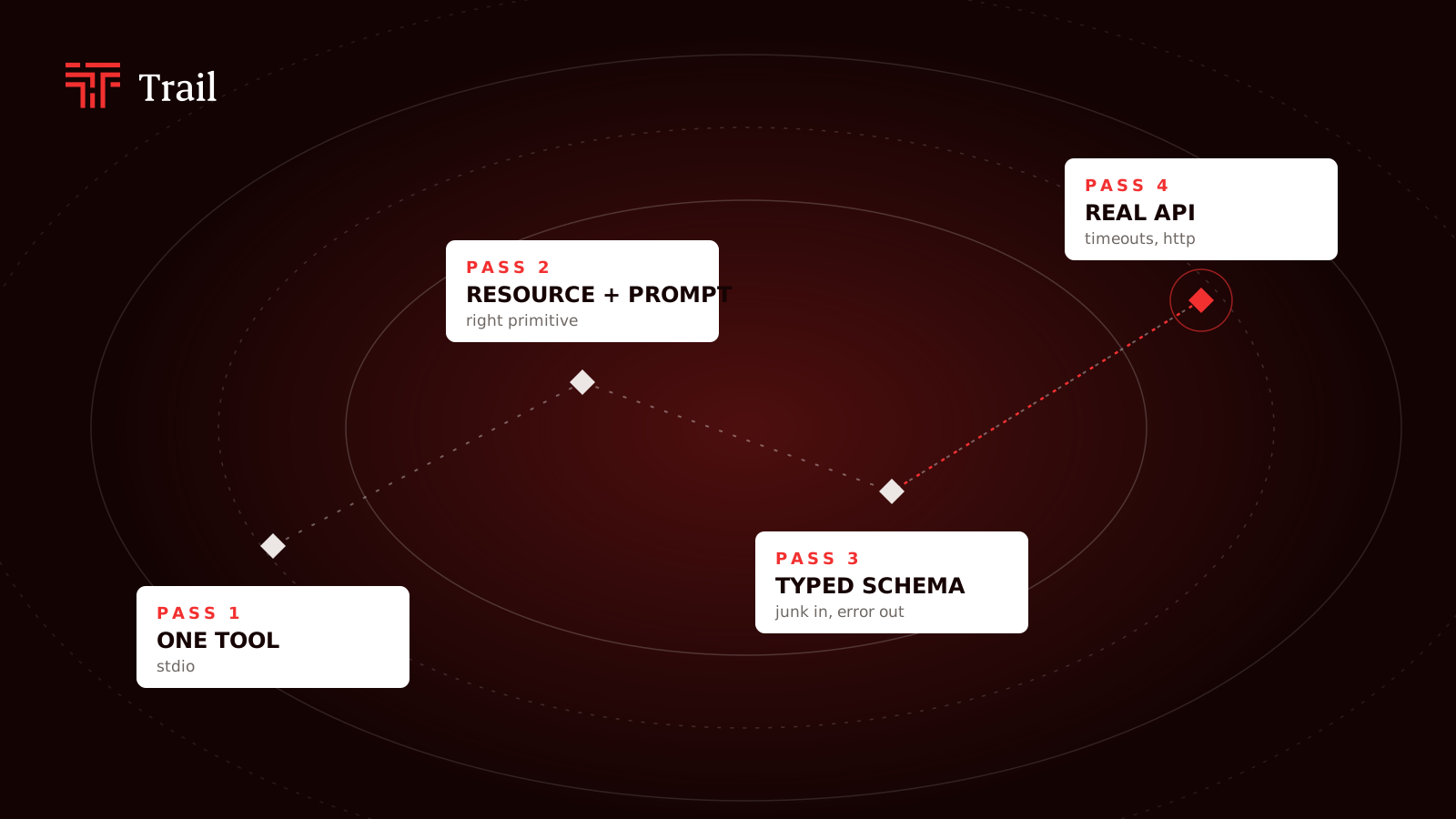
Pass 1: one tool, over stdio
Install the SDK with the CLI extras:
pip install "mcp[cli]"
Here is a complete server:
# server.py
from mcp.server.fastmcp import FastMCP

mcp = FastMCP("demo")

@mcp.tool()
def add(a: int, b: int) -> int:
    """Add two integers."""
    return a + b

if __name__ == "__main__":
    mcp.run()
That's it. mcp.run() defaults to the stdio transport. The client starts your script as a subprocess and talks JSON-RPC over stdin and stdout. The type hints become the tool's input schema, and the docstring becomes the description the model reads when it decides whether to call the tool.
To poke at it without a model, run the MCP Inspector:
mcp dev server.py
This opens a browser UI (it needs Node installed). Connect, open the Tools tab, call add with 2 and 3, and you get 5 back.
To use it from a real client, register it. With Claude Code:
claude mcp add demo -- python /full/path/to/server.py
For Claude Desktop, add it to claude_desktop_config.json:
{
  "mcpServers": {
    "demo": {
      "command": "python",
      "args": ["/full/path/to/server.py"]
    }
  }
}
Use absolute paths. The client won't launch your script from the directory you're sitting in.
What breaks: add a print("called add") inside the tool for debugging. Your server stops working. Over stdio, stdout is the protocol, so any stray text corrupts the message stream. Log to stderr instead:
import sys
print("called add", file=sys.stderr)
This one gets everybody once.
Pass 2: a resource and a prompt
The next mistake is subtler. You'll want to give the model some context, say a user's preferred units, and the obvious move is another tool: get_preferences(). That works, but it's the wrong primitive.
MCP gives you three, and they differ by who decides to use them:
- Tools are chosen by the model. Use them for actions and lookups that depend on the conversation.
- Resources are read-only data addressed by a URI. The client or the user decides to attach them. The model doesn't need to "call" anything.
- Prompts are templates the user picks, often surfaced as slash commands.
So preferences are a resource, and a canned "brief me on this city" request is a prompt:
@mcp.resource("config://units")
def units() -> str:
    """The user's preferred units."""
    return "metric"

@mcp.resource("notes://{city}")
def city_notes(city: str) -> str:
    """Saved notes for a city."""
    return f"No notes saved for {city} yet."

@mcp.prompt()
def trip_brief(city: str) -> str:
    """Ask for a short travel brief."""
    return f"Give me a three-line travel brief for {city}, including the weather."
The second resource is a template: {city} in the URI becomes a function argument. In the Inspector these show up under the Resources and Prompts tabs, separate from tools.
A rough rule: if the model would call your tool with no arguments and the answer never depends on the conversation, it's probably a resource. Client support for resources and prompts varies more than support for tools, so check what yours actually exposes.
That trip_brief prompt asks for weather. We don't have a weather tool yet.
Pass 3: a typed schema, because the model will send junk
Here's a first attempt:
@mcp.tool()
def forecast(latitude: float, longitude: float) -> str:
    """Current temperature at a location."""
    return f"Pretend forecast for {latitude}, {longitude}"
What breaks: the schema says float and nothing else. Nothing stops the model from sending a latitude of 200, or swapping the two arguments. Models fill in arguments from the schema and description, so a vague schema gets you vague input.
FastMCP builds the schema with Pydantic, so you can put constraints and descriptions right on the parameters:
from typing import Annotated
from pydantic import Field

@mcp.tool()
def forecast(
    latitude: Annotated[float, Field(ge=-90, le=90, description="Latitude in degrees")],
    longitude: Annotated[float, Field(ge=-180, le=180, description="Longitude in degrees")],
) -> str:
    """Current temperature at a location. Pass coordinates, not a city name."""
    return f"Pretend forecast for {latitude}, {longitude}"
Now the bounds live in the JSON schema the client sees, and out-of-range input fails validation before your function runs. The descriptions do real work too. "Pass coordinates, not a city name" is an instruction to the model, and it's the cheapest fix you'll find.
Open the Inspector and send latitude: 200. You get a validation error back instead of a silent wrong answer.
Pass 4: a real API, timeouts, and HTTP
Now swap the stub for a real call. Open-Meteo needs no API key, which keeps the example honest:
import httpx
from mcp.server.fastmcp.exceptions import ToolError

@mcp.tool()
async def forecast(
    latitude: Annotated[float, Field(ge=-90, le=90, description="Latitude in degrees")],
    longitude: Annotated[float, Field(ge=-180, le=180, description="Longitude in degrees")],
) -> str:
    """Current temperature at a location. Pass coordinates, not a city name."""
    try:
        async with httpx.AsyncClient(timeout=10.0) as client:
            r = await client.get(
                "https://api.open-meteo.com/v1/forecast",
                params={"latitude": latitude, "longitude": longitude, "current": "temperature_2m"},
            )
            r.raise_for_status()
    except httpx.TimeoutException:
        raise ToolError("Weather service timed out. Try again shortly.")
    except httpx.HTTPStatusError as e:
        raise ToolError(f"Weather service returned {e.response.status_code}.")

    temp = r.json()["current"]["temperature_2m"]
    return f"{temp}°C"
Two choices here matter.
First, the timeout. Without it, a slow upstream leaves the client waiting on your tool, and the user stares at a spinner. Set one explicitly.
Second, how errors come back. The MCP spec separates protocol errors (malformed request, unknown tool) from tool execution errors. Execution errors go back as a normal tool result with isError set to true. That distinction matters because the model sees the result. "Timed out, try again" is something it can act on. A protocol-level failure usually just ends the attempt. FastMCP turns exceptions raised inside a tool into these error results. Raising ToolError with a clear message keeps the text readable for the model.
What breaks next: stdio only works when the client runs on the same machine and launches your process. To share the server with a team or deploy it, switch transports:
if __name__ == "__main__":
    mcp.run(transport="streamable-http")
That serves MCP at http://127.0.0.1:8000/mcp by default. Point the Inspector at that URL instead of a command, and the same tools, resources and prompts show up.
Here the stdio assumptions stop holding. Stdout is no longer special. Many clients can now reach the server, not one parent process, and anyone who can reach the port can call your tools. Authentication, deployment and state across sessions are the fifth pass, and that's where your next round of reading starts.
What's worth building
I'm not going to hand you a roundup of the hottest MCP servers this month. Those lists go stale fast, and I haven't verified enough of them to vouch for any. What I can tell you is the shape of the good ones, because it's the shape you just built.
They're thin. The runbook search from the top of this post is the model: a small wrapper around something your team already has and keeps pasting into chats by hand. The interesting work isn't in the wrapper. It's in the schema that stops the model from sending junk, and the error message that tells it what to try next.
They pick the right primitive. Data that never depends on the conversation is a resource. Actions the model should decide on are tools. The ones that feel clumsy usually got this split wrong and expose everything as a tool.
They respect the edges. A timeout on every upstream call. Logs on stderr. A clear story for who can reach the server once it leaves your laptop.
So look at your own week. Find the thing you copy into a chat window more than once a day, and that's your first server.